
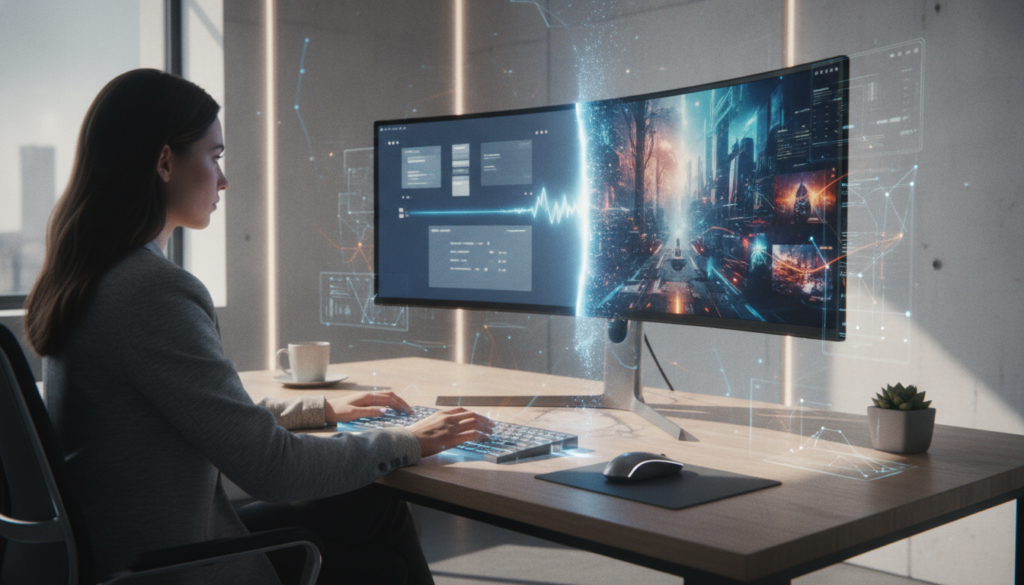

The landscape of digital communication is undergoing a profound transformation, moving beyond the static confines of traditional presentations. In 2026, the era of passive viewing is rapidly giving way to interactive and dynamic content, particularly in professional and educational spheres. For years, PowerPoint and PDF slides have been the backbone of conveying information, yet their inherent immobility often struggles to capture and sustain audience attention in an increasingly video-centric world. The challenge for many has been bridging this gap: how to imbue these crucial slides with the life and engagement of video without requiring extensive, specialized editing skills or significant time investment.
Enter the artificial intelligence video generator, a technology poised to redefine how we conceive and create presentations. These advanced tools are not merely adding a soundtrack to a slideshow; they are orchestrating a complete metamorphosis. By harnessing sophisticated AI algorithms, they convert static visual information into compelling video narratives, complete with synchronized narration, dynamic transitions, and even lifelike virtual presenters. This evolution marks a pivotal shift, enabling individuals and organizations to communicate more effectively, reach wider audiences, and deliver complex information in a format that is both accessible and highly engaging. The promise of effortlessly transforming a stack of slides into a professional-grade video is no longer a futuristic concept but a readily available reality, streamlining workflows and democratizing high-quality content creation for everyone.
Transforming Static Presentations into Dynamic Video Experiences
The shift from static slides to dynamic videos is more than a trend; it’s a fundamental change in how information is consumed and retained. Traditional PowerPoint or PDF presentations, while effective for in-person delivery, often fall flat in asynchronous or distributed contexts. The lack of vocal emphasis, visual flow, and interactive elements means crucial messages can get lost, and engagement levels tend to plummet. This limitation has historically forced content creators to either accept suboptimal engagement or embark on time-consuming, expensive video production processes that are beyond the reach of many.
However, AI video generators are effectively dismantling these barriers. By automating complex aspects of video creation, they allow users to bypass manual editing, voiceover recording, and graphic design complexities. This empowers educators to turn lesson decks into engaging video lectures, sales teams to create personalized demos, and corporate trainers to develop consistent, multi-language onboarding modules. The underlying technology analyzes slide content, understands context, and intelligently stitches together a cohesive narrative, providing a level of polish and professionalism that was once exclusive to dedicated media production teams. The result is a richer, more accessible communication format that resonates deeply with modern audiences, ensuring messages are not just seen, but truly understood and remembered.
Understanding How AI Video Generators Convert Slides
At its core, an AI video generator operates by deconstructing your existing presentation and rebuilding it as a multimedia experience. The process typically begins with uploading your presentation file, whether it’s a .pptx, .ppt, Keynote, or PDF. The AI then acts as a highly intelligent assistant, parsing each slide’s content, including headings, body text, and any speaker notes. This initial analysis is critical, as it forms the basis for the subsequent script generation. Instead of requiring you to write a separate script, the AI crafts a voiceover-ready narrative for each slide, ensuring a logical flow from one scene to the next. This automated scripting capability alone saves countless hours, allowing users to focus on refining the message rather than the mechanics of writing.
Once the script is generated, the AI moves on to vocalization. Modern AI voices are remarkably sophisticated, offering a library of thousands of neural voices across dozens of languages. Users can select a voice that best fits their brand or message, adjusting parameters like pace and pitch. For an even more personal touch, some platforms offer voice cloning, allowing the AI to narrate in a synthesized version of the user’s own voice. To further enhance engagement, lifelike AI avatars can be integrated, appearing on screen to present the slides with natural gestures and lip-syncing. These avatars provide a human element, adding trustworthiness and relatability to the video without the need for a physical presenter. The seamless integration of these elements transforms a collection of slides into a cohesive, professional-grade video, ready for diverse applications.
- Slide Upload & Content Extraction: Import .pptx, .ppt, or .pdf files, and the AI extracts text, headings, and speaker notes.
- Automated Script Generation: AI analyzes each slide to write a clear, concise narration script, which can be edited.
- Advanced AI Voiceovers: Choose from over 2,000 neural voices in 80+ languages, or clone your own voice for branding consistency.
- Lifelike AI Avatars: Integrate virtual presenters that lip-sync the narration, enhancing engagement and personalization.
- Dynamic Visual Enhancements: AI automatically adds smooth transitions, animations, and can even suggest stock or AI-generated b-roll footage.
- Auto-Generated Subtitles: Captions are automatically synced to the narration, crucial for accessibility and silent viewing.
- Brand Kit & Customization: Apply brand colors, fonts, logos, and watermarks globally, with options to adjust visuals in a full timeline editor.
- Multi-Language Conversion: Convert the entire presentation into multiple languages with one click, automatically re-rendering voiceover, captions, and on-screen text.
- Flexible Export Formats: Export in various aspect ratios (16:9, 1:1, 9:16) and resolutions (1080p, 4K on paid plans) for different platforms.
Key Features That Elevate Your Presentation Videos
The true power of AI video generators lies not just in their core conversion capability but in the suite of features they offer to refine and enhance the final product. One critical aspect is multi-language support. In a globalized world, the ability to effortlessly translate and re-narrate a presentation into dozens of languages means a single master deck can serve diverse international audiences. This is invaluable for global teams, international marketing campaigns, and educational institutions catering to non-native speakers, eradicating the need for separate recording sessions for each language.
Furthermore, these platforms often include comprehensive brand kit functionalities. Organizations can upload their brand assets—logos, specific fonts, color palettes, and watermarks—and apply them consistently across every slide and video. This ensures brand integrity and a cohesive visual identity, whether the video is for internal training or external marketing. Beyond branding, an integrated timeline editor provides granular control, allowing users to swap visuals, regenerate specific sections of narration, or layer in additional media like background music from royalty-free libraries. The ability to export in various aspect ratios, from widescreen 16:9 for YouTube to vertical 9:16 for social media platforms like TikTok and Instagram Reels, ensures maximum adaptability across different viewing environments, all from the same source file without re-editing. These features collectively transform what was once a time-consuming, skill-intensive task into an efficient, accessible creative process.
Revolutionizing Communication Across Industries with AI Videos
The impact of AI video generators extends far beyond mere convenience; they are actively reshaping communication strategies across numerous sectors. From corporate training to academic instruction and even in dynamic sales environments, the ability to quickly transform static information into engaging video content provides a significant competitive edge. This technology allows organizations to maintain consistency, personalize messages, and scale their content production in ways previously unimaginable, ensuring that critical information is delivered effectively to diverse audiences worldwide.
Consider a large multinational corporation needing to roll out new compliance training. Instead of scheduling live sessions across different time zones or relying on dry, text-heavy documents, they can convert their training slides into a narrated video. This video can then be instantly translated and re-voiced into multiple languages, featuring a consistent AI avatar presenter across all versions. Employees can access the training on demand, at their own pace, significantly improving knowledge retention and ensuring regulatory adherence. This level of efficiency and global reach highlights the transformative potential of AI in fostering a more informed and connected workforce, showcasing a new paradigm in digital learning and development.
Enhancing Learning & Development and Education
In the realms of corporate learning and development (L&D) and education, AI video generators are proving to be game-changers. For L&D teams, the ability to convert extensive onboarding and compliance training decks into narrated videos with consistent brand voices and optional AI avatar hosts is invaluable. This not only streamlines the training process but also ensures that all new hires receive the same high-quality, engaging content, regardless of their location. Furthermore, the ease of localizing these videos into numerous languages means that global teams can access training in their native tongue, significantly boosting comprehension and engagement. If a policy or procedure changes, updating a single slide and re-rendering the video is far more efficient than re-recording an entire human-led presentation.
Similarly, educators are leveraging this technology to transform static lesson decks into self-paced video lectures. These videos can incorporate on-screen visuals, professional narration, and burn-in captions, making complex topics more digestible and accessible. This is particularly beneficial for remote learning environments, for students with diverse learning styles, or for classrooms with English as a Second Language (ESL) learners. Teachers can create a library of narrated lessons that students can revisit as needed, providing a flexible and supportive learning experience. The integration of AI for content creation frees up valuable time for both L&D professionals and educators, allowing them to focus more on instructional design and student interaction rather than the technicalities of video production.
Boosting Sales and Marketing Efforts
Sales and marketing departments are discovering new avenues for engagement through AI-powered presentation videos. For sales teams, the traditional live demo often presents logistical challenges. AI video generators offer a compelling alternative: converting sales decks into personalized, asynchronous video walkthroughs. Imagine a potential client receiving a video demo of a product, narrated by a cloned version of their account manager’s voice, branded with their company’s kit, and specifically tailored to their pain points. This approach allows clients to consume information at their convenience, while sales teams can track engagement per slide, gaining valuable insights into what resonates most. This method dramatically shortens sales cycles and provides a more scalable solution for initial outreach.
In marketing, these tools are invaluable for transforming webinars, conference replays, and product pitches into dynamic content. YouTube creators, in particular, can build entire explainer channels by converting written knowledge into narrated videos with auto-paired b-roll, all without needing a camera or extensive editing skills. This “faceless” video creation model is highly scalable and allows for consistent brand voice and messaging. Moreover, the ability to quickly create short, engaging clips in vertical formats (9:16) for platforms like TikTok and Instagram Reels from longer presentations means marketers can maximize the reach and impact of their content across diverse social media channels, capturing attention in a competitive digital landscape.
Streamlining Internal Communications and Investor Relations
The benefits of AI video generators extend deeply into streamlining internal communications and enhancing investor relations. For distributed teams, converting all-hands meeting decks and policy updates into video format ensures that every employee receives the information consistently, regardless of their location or time zone. These videos can be branded and localized into multiple languages with a single click, eliminating the need for repetitive live meetings and ensuring everyone stays informed. This fosters a more connected and efficient internal environment, cutting down on communication silos and improving overall organizational alignment.
In the high-stakes world of investor and board relations, clarity and conciseness are paramount. Pitch decks, investor updates, and board memos can be transformed into narrated video versions, allowing stakeholders to consume complex information efficiently. Instead of sifting through dozens of slides, board members and investors can watch a professionally narrated update in a fraction of the time, complete with branded transitions and a polished presentation. This not only demonstrates a forward-thinking approach but also ensures that key messages are delivered effectively and remembered, fostering stronger trust and understanding between companies and their financial partners. The efficiency gained by converting static documents into dynamic videos significantly enhances transparency and engagement in critical communication channels.
What exactly is an AI PPT to video converter?
An AI PPT to video converter is a sophisticated tool that automates the process of transforming static PowerPoint or PDF slides into dynamic, narrated videos. Unlike simple slide-show exports, these tools use artificial intelligence to generate scripts from your slide content, add realistic AI voiceovers in various languages, integrate virtual presenters (avatars), and apply professional transitions and animations, creating a polished video without manual editing.
How do AI video generators improve upon PowerPoint’s built-in video export feature?
PowerPoint’s native ‘Save as Video’ function typically produces a silent, slide-by-slide MP4 animation without narration. AI video generators, however, automatically write a voiceover script for each slide, provide a vast library of AI voices (including voice cloning), add optional AI avatars, and offer a full video editor to incorporate background music, b-roll footage, and synchronized captions. The result is a true narrated video, not just an animated slideshow.
Can I use my own voice or an AI avatar in the converted videos?
Yes, many advanced AI video generators offer both options. You can upload a short voice sample to clone your own voice with high accuracy, allowing the AI to narrate your slides in your distinct tone across multiple languages. Additionally, you can select from a library of lifelike AI avatars that will appear on screen, lip-syncing the narration with natural gestures, adding a human touch to your presentations without needing to record yourself.
What types of presentation files can be converted into videos?
Most AI video generators support common presentation formats such as .pptx, .ppt, and .pdf files. While Google Slides doesn’t typically export natively to these tools, you can easily download your Google Slides presentation as a .pptx or PDF file and then upload it for conversion. The AI then extracts all the content, including text, headings, and speaker notes, to generate the video scenes and narration.
How long does it typically take to convert a presentation into a video using AI?
The conversion time can vary depending on the length and complexity of your presentation, but AI video generators are designed for speed. A typical 10 to 20-slide deck can often be converted, including script generation, voiceover, captions, music, and final 1080p MP4 export, in approximately 3 to 8 minutes end-to-end. Longer presentations with 50+ slides will naturally take more time, but the process remains significantly faster than traditional manual video production.

